Automated Voice Selection with Voice Labels
Automated voice selection can be restricted to voices that carry a specific label, giving you control over which voices are assigned to speakers in your project.
Setting Up Label-Based Voice Selection
When creating a new project, automated voice selection can be limited to voices with a specific label.
In the project creation flow, select Automated voice selection
Enable Use voices with label
Select the desired label
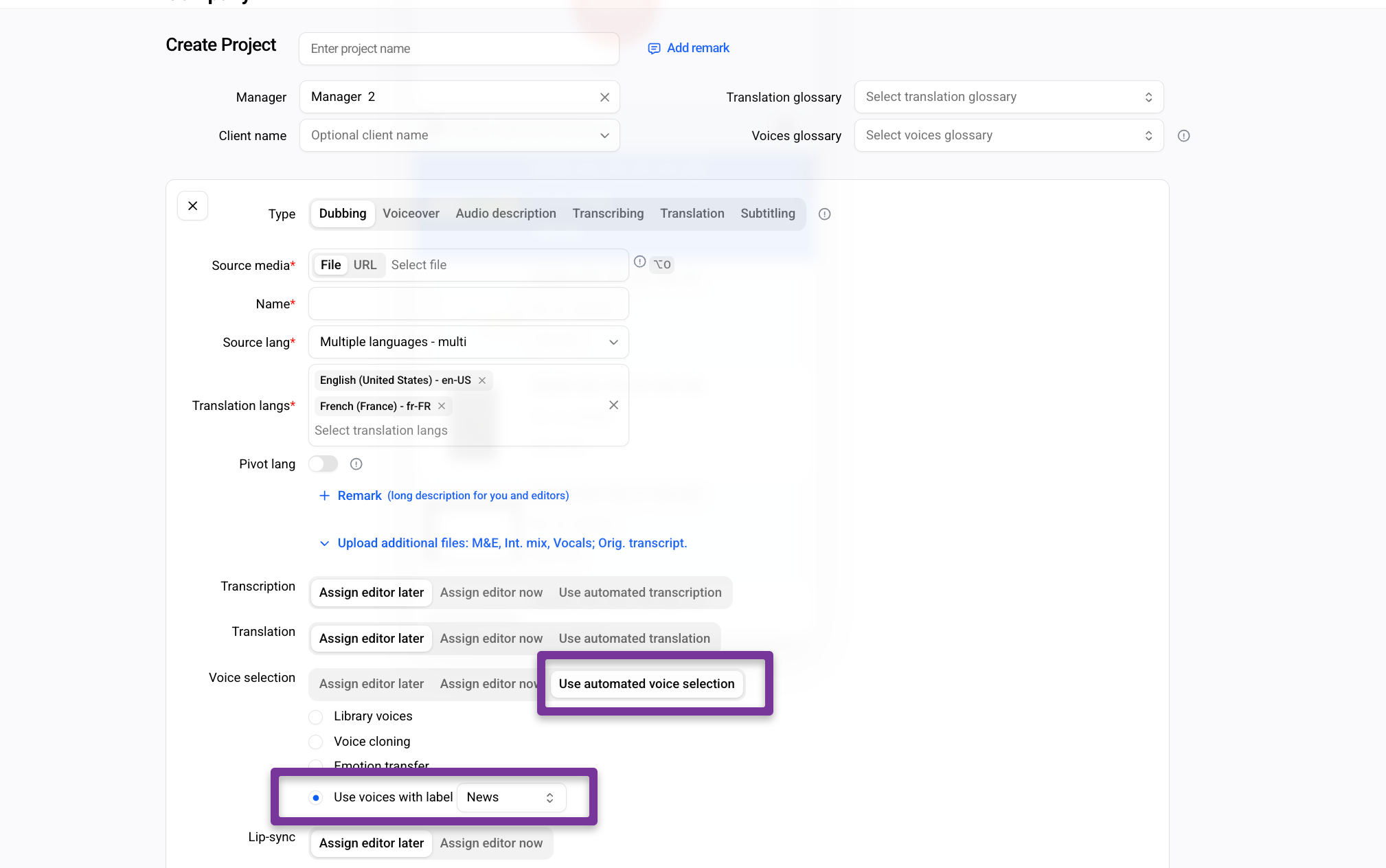
At the Voice selection stage, each speaker will be assigned a voice only from the pool of voices carrying that label.
Adding a Label to a Voice
Labels are managed from the Voices tab and can be scoped to a specific locale or applied across all locales.
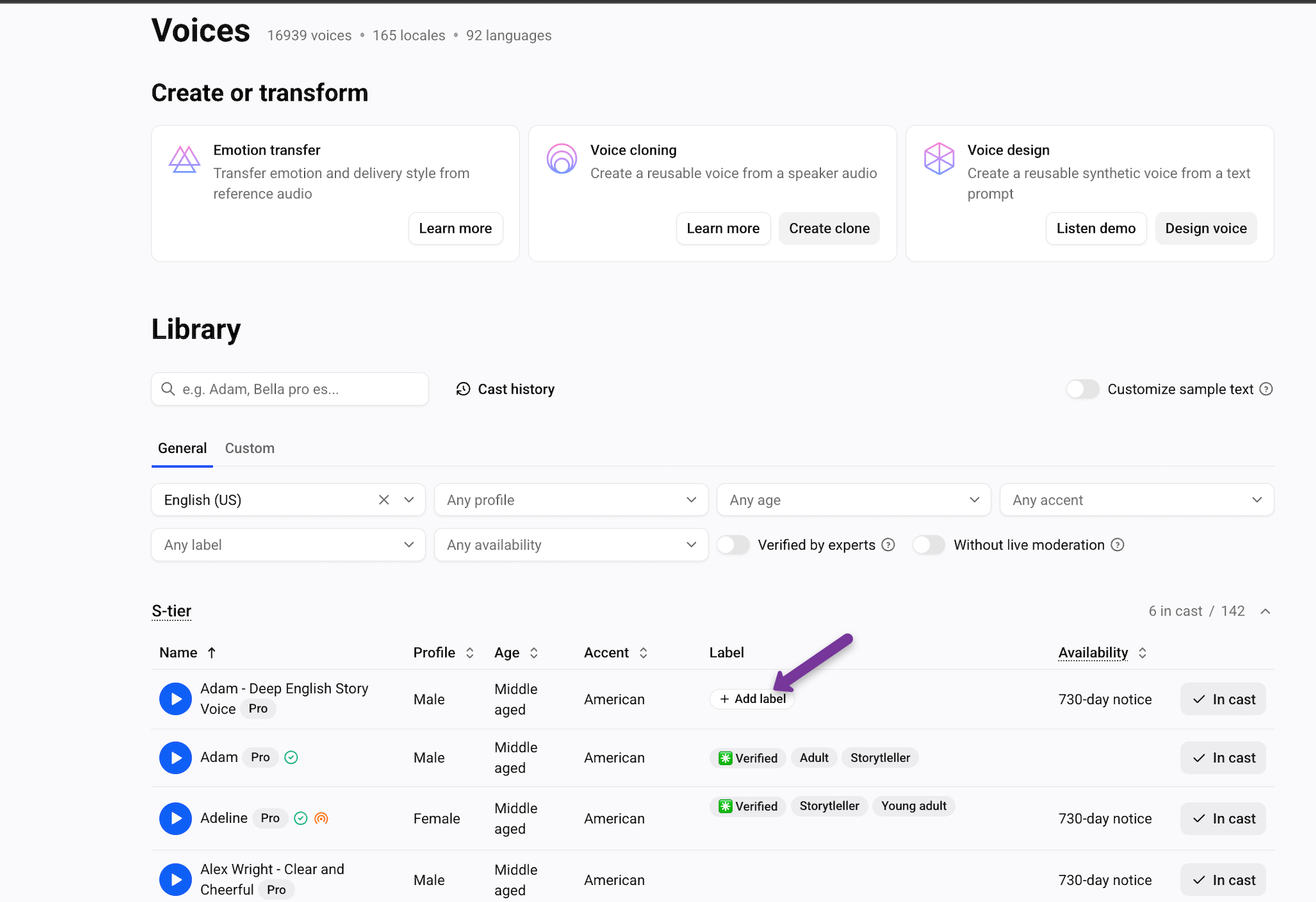
Go to the Voices tab
Hover over the area next to a voice — a + Add Label button will appear — and click it
Select an existing label from the list, or type a new name and click + Create
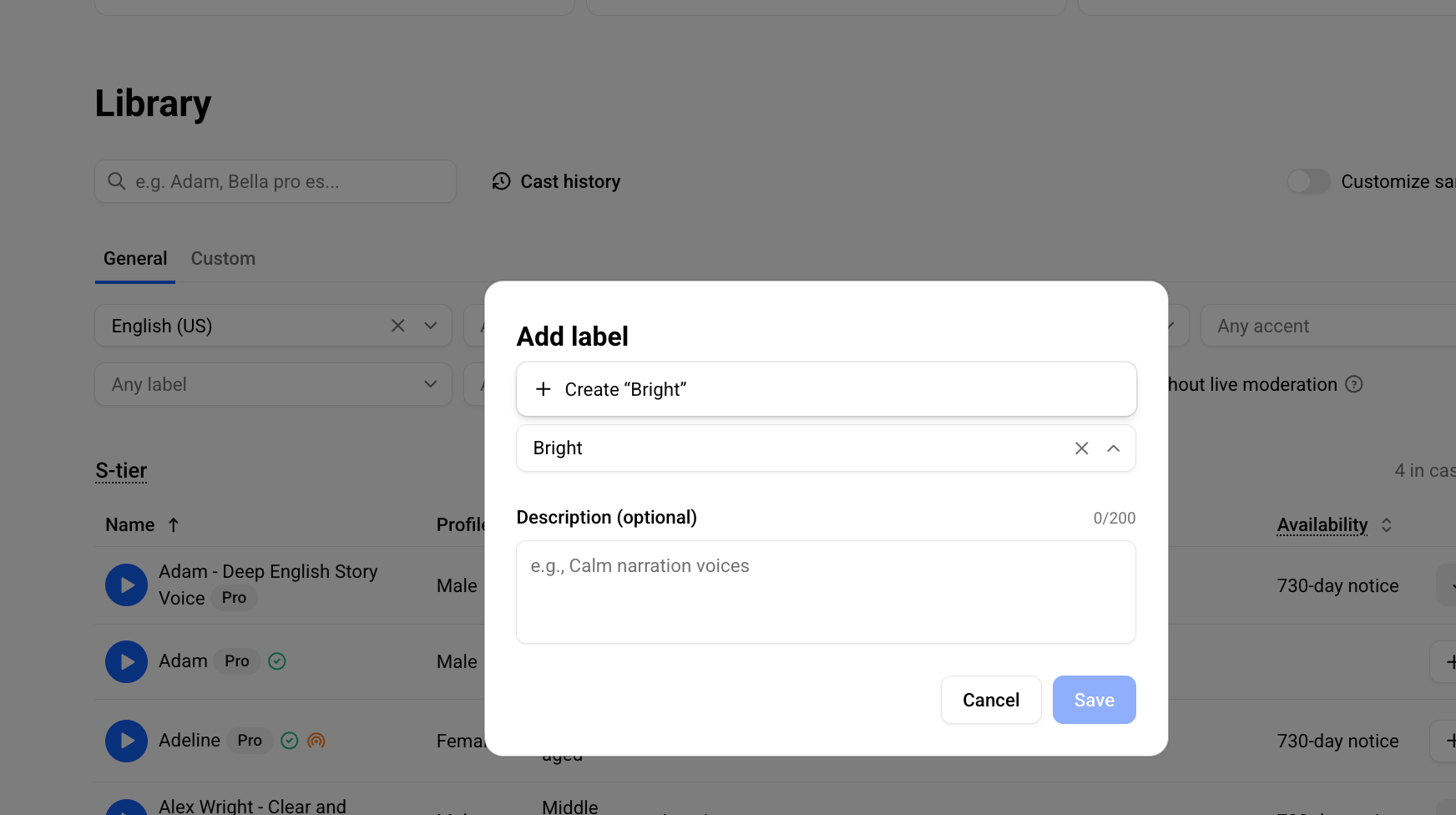
Save the label
The label will be shown to all the users in your workspace.